How to Become a Tourzone Reseller
Start your partnership with Tourzone in just a few easy steps.
At Tourzone, we collaborate with officially registered travel agencies and accommodation providers to help them sell unique experiences with confidence. Becoming a reseller is free, quick, and designed to get you started instantly.
Who can register as a reseller?
We currently accept:
Licensed travel agencies (online or physical office)
Hotels offering tourism services
Resellers operating as a registered legal business
Note: A valid business certificate is required to complete your registration.
Step-by-Step Registration Process
Step 1: Sign up on the Agent Portal
Register and begin exploring the platform.
Step 2: Complete KYC Verification
Follow the recommended actions to efficiently complete the necessary checks. We highly recommend doing this to minimize onboarding delays.
Step 3: Start Listing Your Products
After a swift verification process, which typically takes about 5 minutes, you can start listing your products on Tourzone, contributing to a secure and trusted marketplace for travelers.
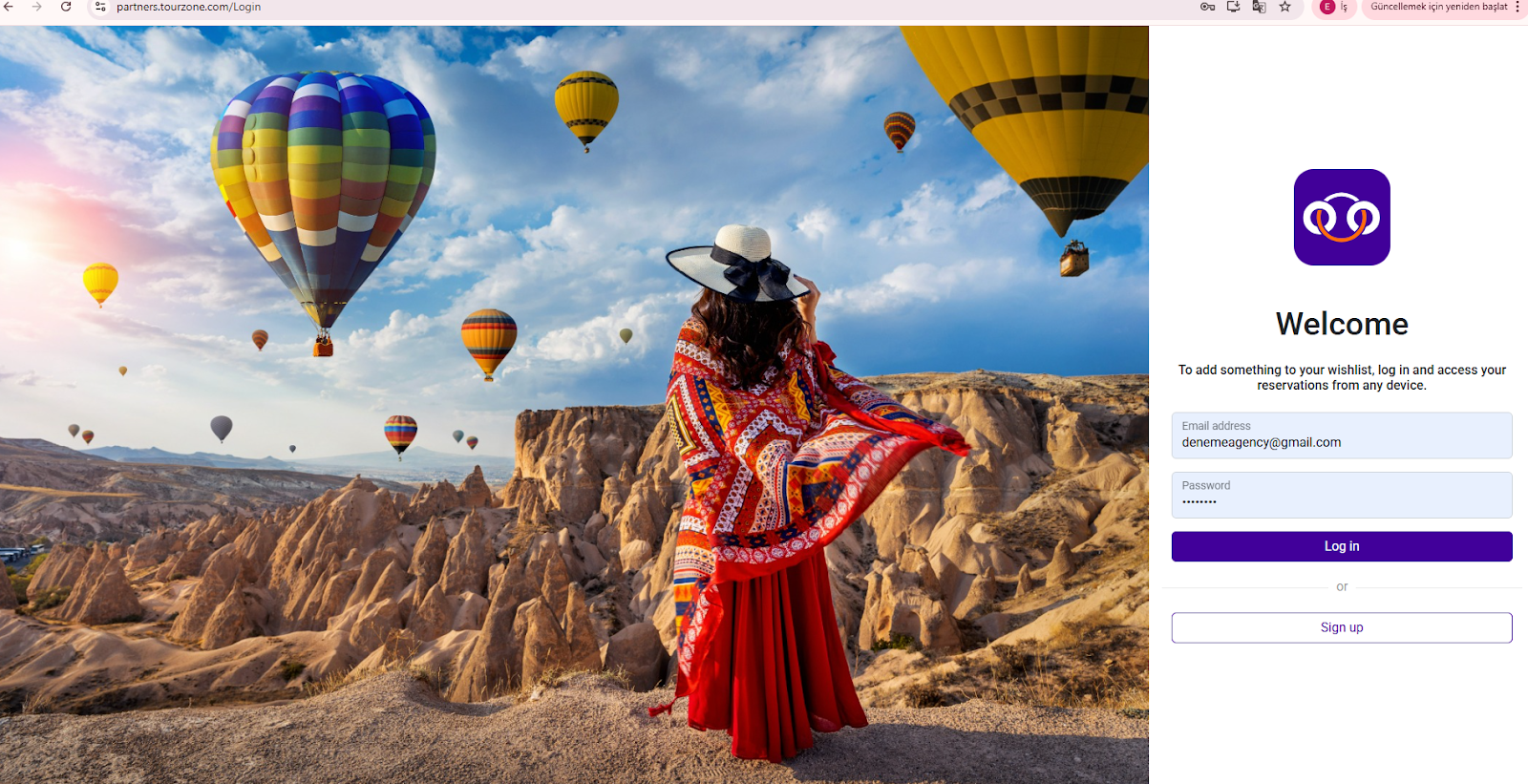
1. Go to the Partner Login Page
Visit partners.tourzone.com/Login and click Sign up.
2. Fill in your Company Information
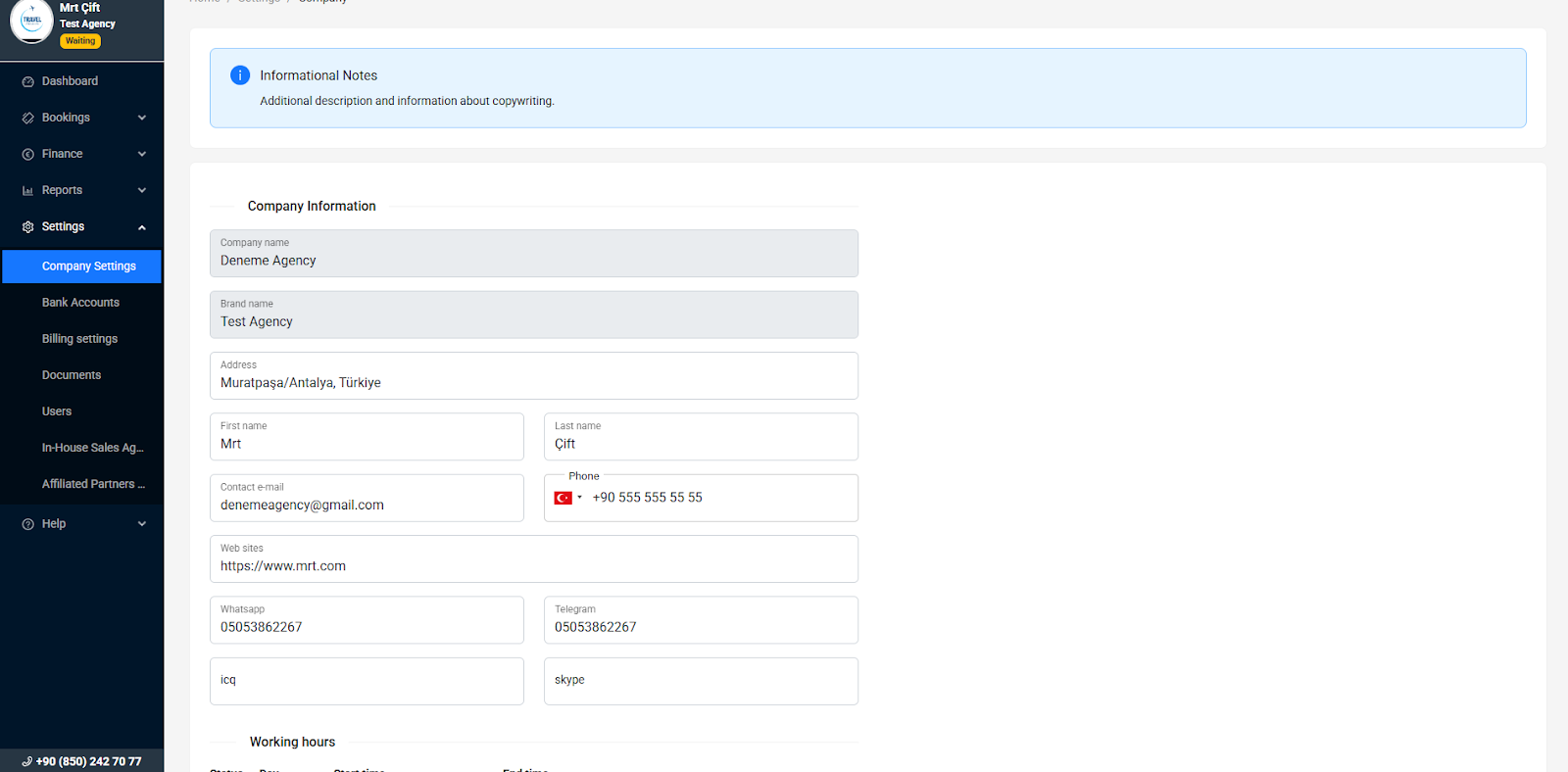
After account creation, go to Settings > Company Settings and complete the following fields:
Company Name and Brand Name
Business Address
Contact Person: First and Last Name
Email, Phone Number, Website (optional)
Messaging contacts (WhatsApp, Telegram, Skype)
3. Upload Required Documents
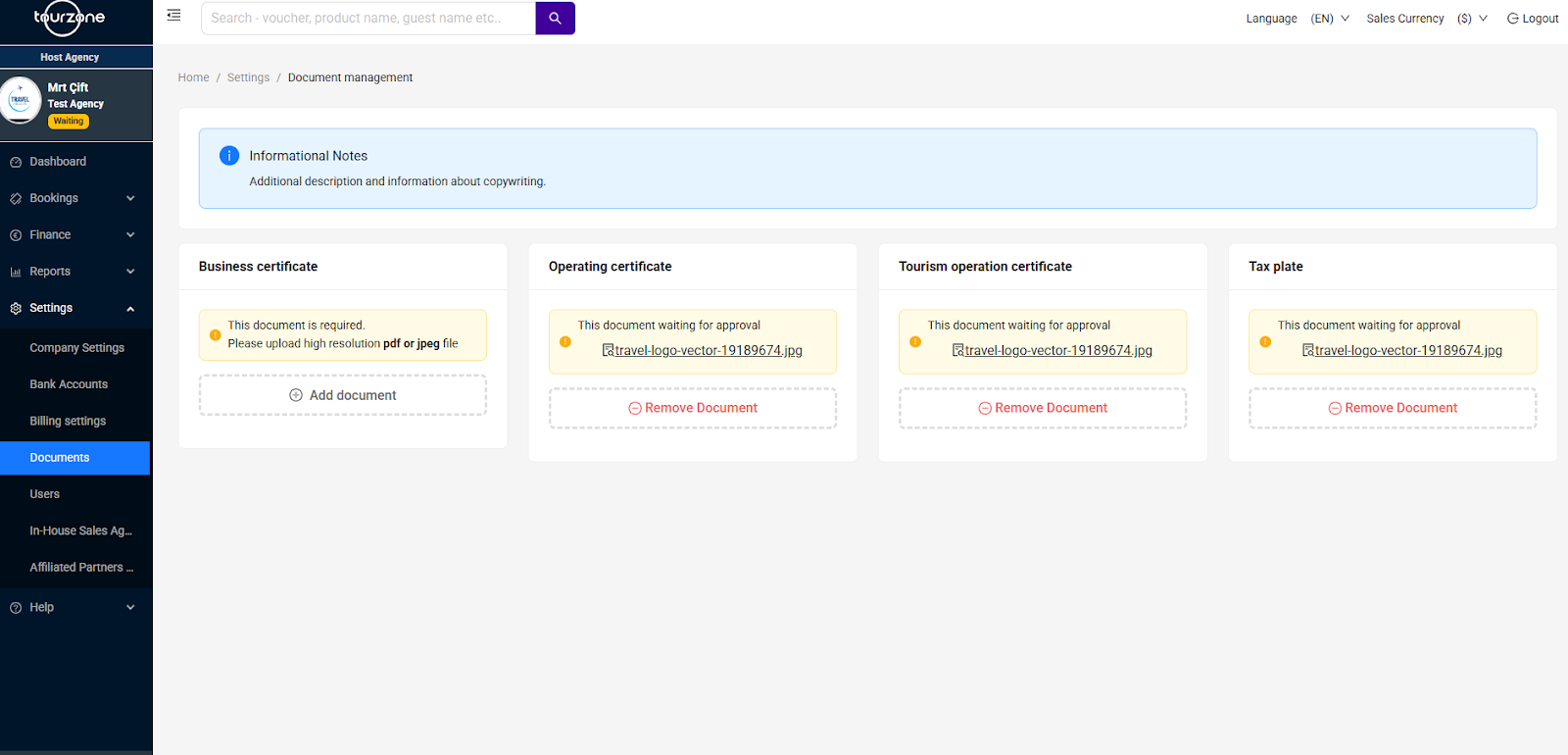
In the Settings > Documents section, upload the following:
Business Certificate
Operating Certificate (if required)
Tourism Operation Certificate (if applicable)
Tax Plate
The system accepts PDF or JPEG format. Status of each document is displayed as “Waiting for Approval” until verified.
4. Await Approval and Access
Once your documents are uploaded:
Your application will be reviewed by the Tourzone onboarding team
If all is correct, your account will be activated instantly
You will receive a confirmation email and access to the Partner Dashboard
What Happens After Registration?
Once approved, you can:
Browse and book all available tours
Create Wish Lists and send client-specific recommendations
Track bookings, commissions, and earnings
Add subagents and assign their commissions
Monitor your sales with detailed financial reports
Tips
Ensure all uploaded documents are high-resolution and legible
Use an active email — this will be your login and receive system updates
You can edit your company info at any time in the Settings tab
Need Help?
Our support team is happy to assist you during the registration process. You can reach us via the Help section, chat or by phone at the number shown in your dashboard footer.
Welcome to Tourzone — your gateway to selling top experiences with full control and full transparency.
Was this article helpful?
That’s Great!
Thank you for your feedback
Sorry! We couldn't be helpful
Thank you for your feedback
Feedback sent
We appreciate your effort and will try to fix the article