Income Statement – Overview & Usage Guide
The Income Statement section in your Tourzone dashboard provides a detailed summary of your agency’s financial performance within a selected time period. This feature is crucial for tracking your earnings, analyzing sales trends, and preparing for financial reporting.
Where to Find It:
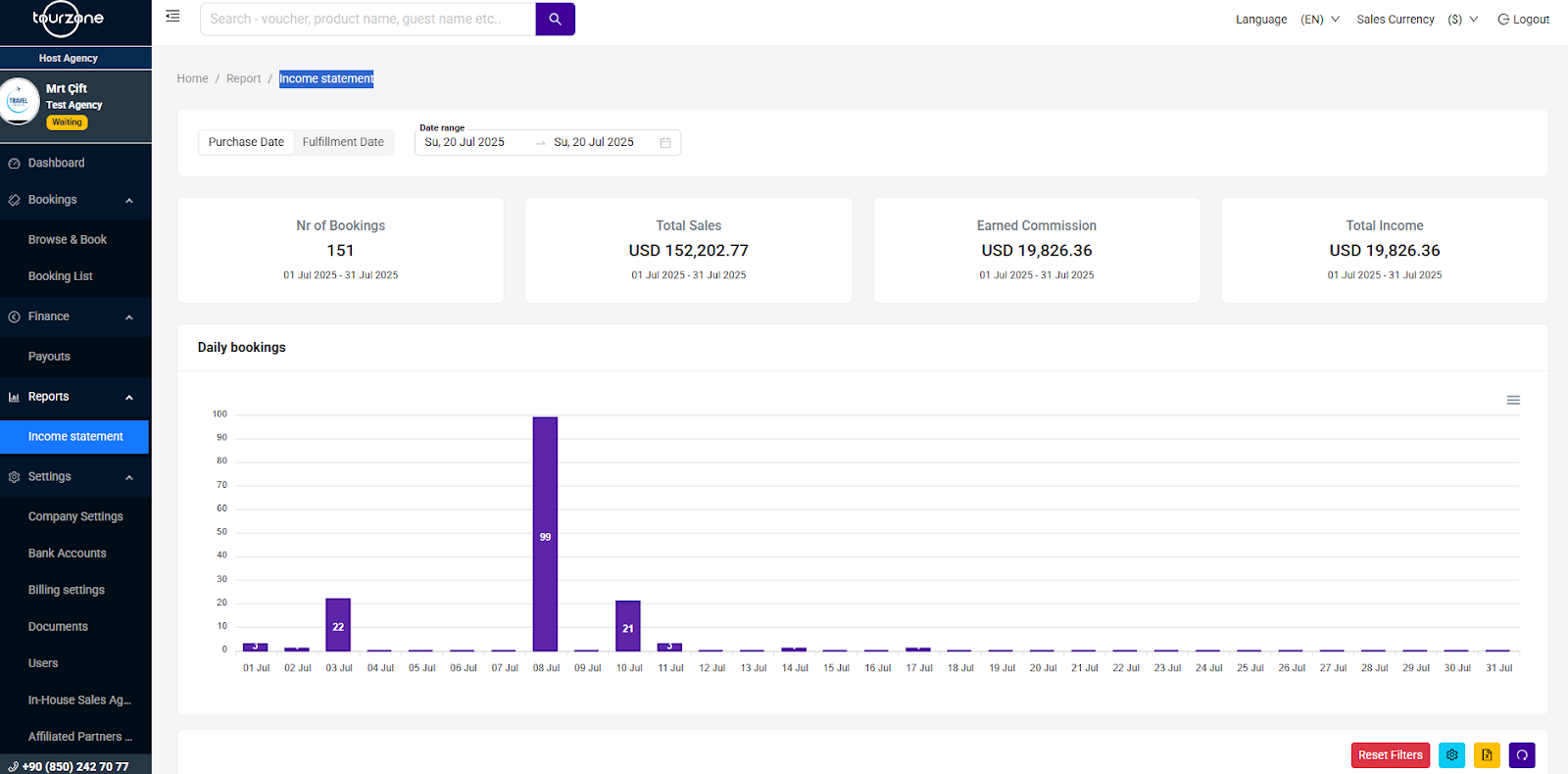
Go to Reports > Income Statement in your left-hand navigation panel.
What You Can See:
Date Filters
Use the filter tools at the top to select a Purchase Date or Fulfillment Date range (e.g., bookings made between July 1 and July 31).Summary Cards
Instantly view totals for the selected period:Nr of Bookings: Number of confirmed bookings
Total Sales: Total gross value of sold products
Earned Commission: Your earnings from these sales (based on your reseller commission)
Total Income: Same as Earned Commission unless adjustments apply
Daily Bookings Graph
A visual breakdown of daily sales activity, helping you identify peak days.
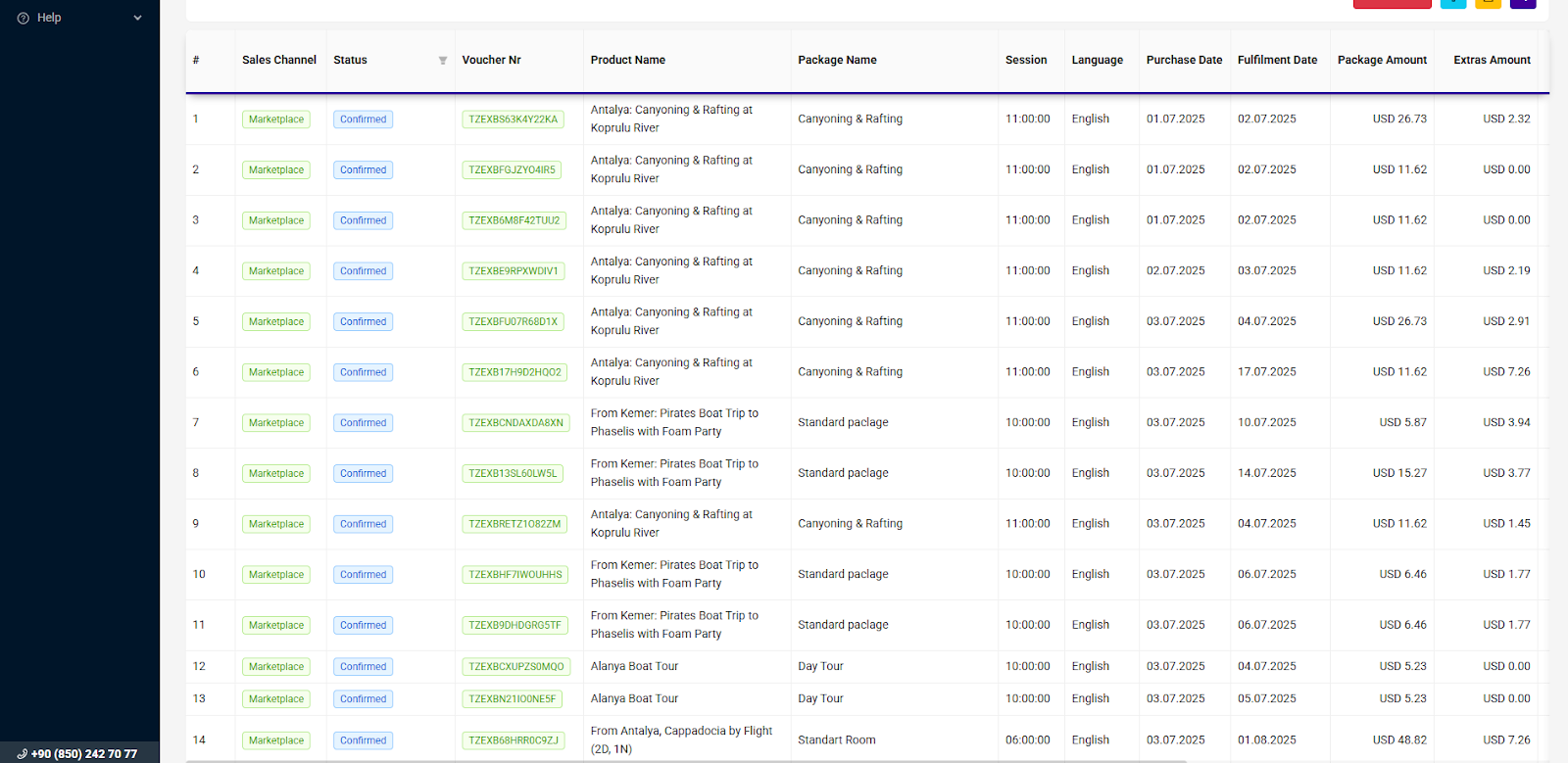
Detailed Booking Breakdown:
Below the summary and chart, you'll find a transaction table listing every booking included in your statement. The following fields are available:
Tips for Using the Income Statement:
Click on any column header to sort the table (e.g., sort by Package Amount to see top sales).
Use the filters to refine results based on tour type, region, or timeframe.
You can download or export the full statement in Excel or CSV format using the icons in the lower-right corner.
Use this data to compare monthly sales performance, guide commission expectations, and adjust marketing strategies.
Notes:
This statement reflects confirmed bookings only.
Commissions are calculated only after fulfillment (after the tour is completed).
Earnings from cancelled bookings with refunds will not appear here.
Was this article helpful?
That’s Great!
Thank you for your feedback
Sorry! We couldn't be helpful
Thank you for your feedback
Feedback sent
We appreciate your effort and will try to fix the article