The Wish list tab allows you to select and manage lists of experiences. Tourzone provides a unique feature that lets you create and share a customized list of excursions with your client. By opening the link, the client will see only the experiences you believe may interest them.
Wish List Panel – How It Works
The Wish List feature allows your agency to save and organize favorite experiences for future bookings. It helps streamline the reservation process by creating a shortlist of tours or activities you frequently offer or plan to book.
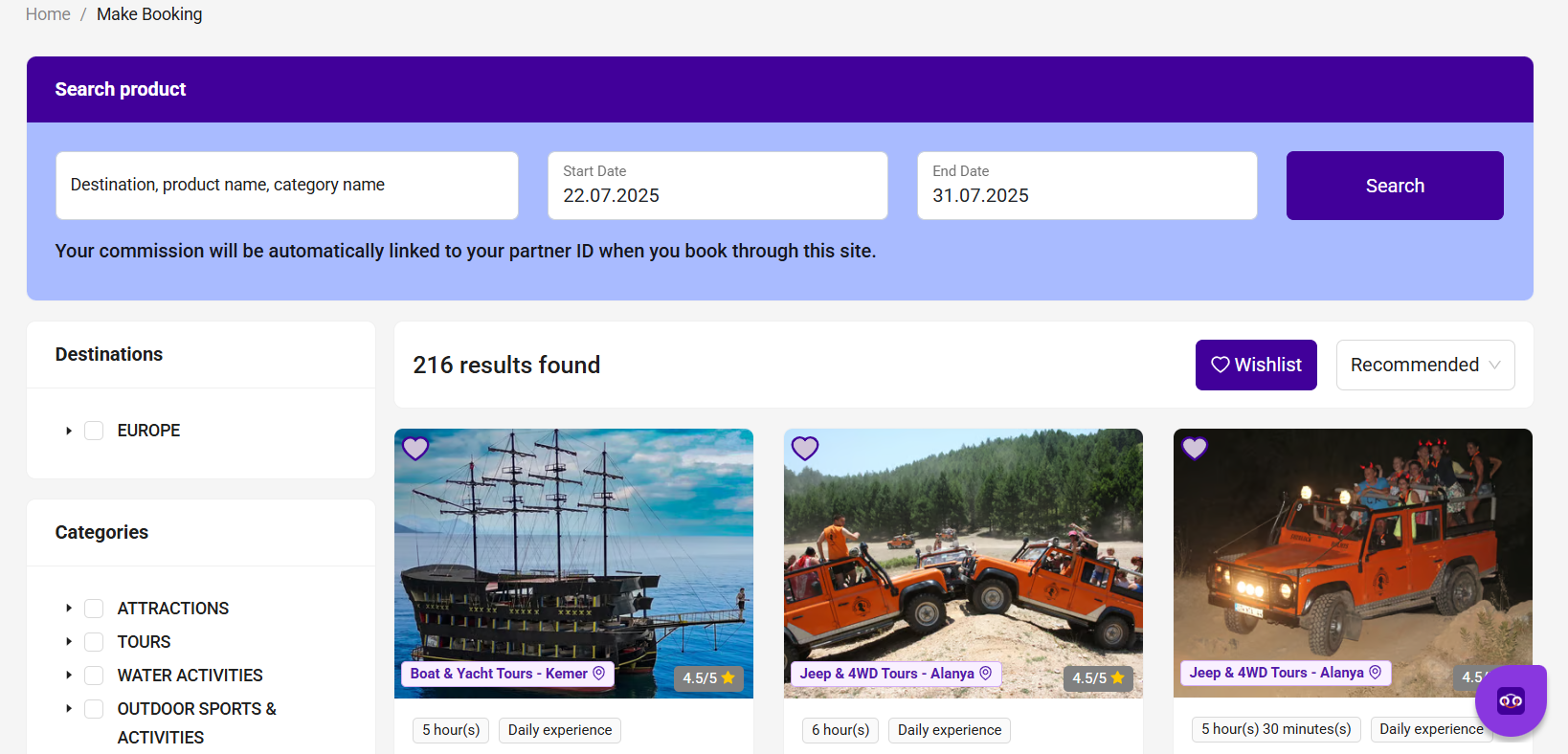
How to Use:
Click the heart icon ? on any tour card to add it to your Wish List.
Access your saved experiences from the “Wish List” button at the top right of the Browse & Book page.
From your Wish List, you can compare, check availability, or make a booking directly.
Benefits:
Quick access to popular or high-demand tours
Easier rebooking for returning guests
Save time by avoiding repeated searches
The Wish List is unique to each agency account and not visible to clients.
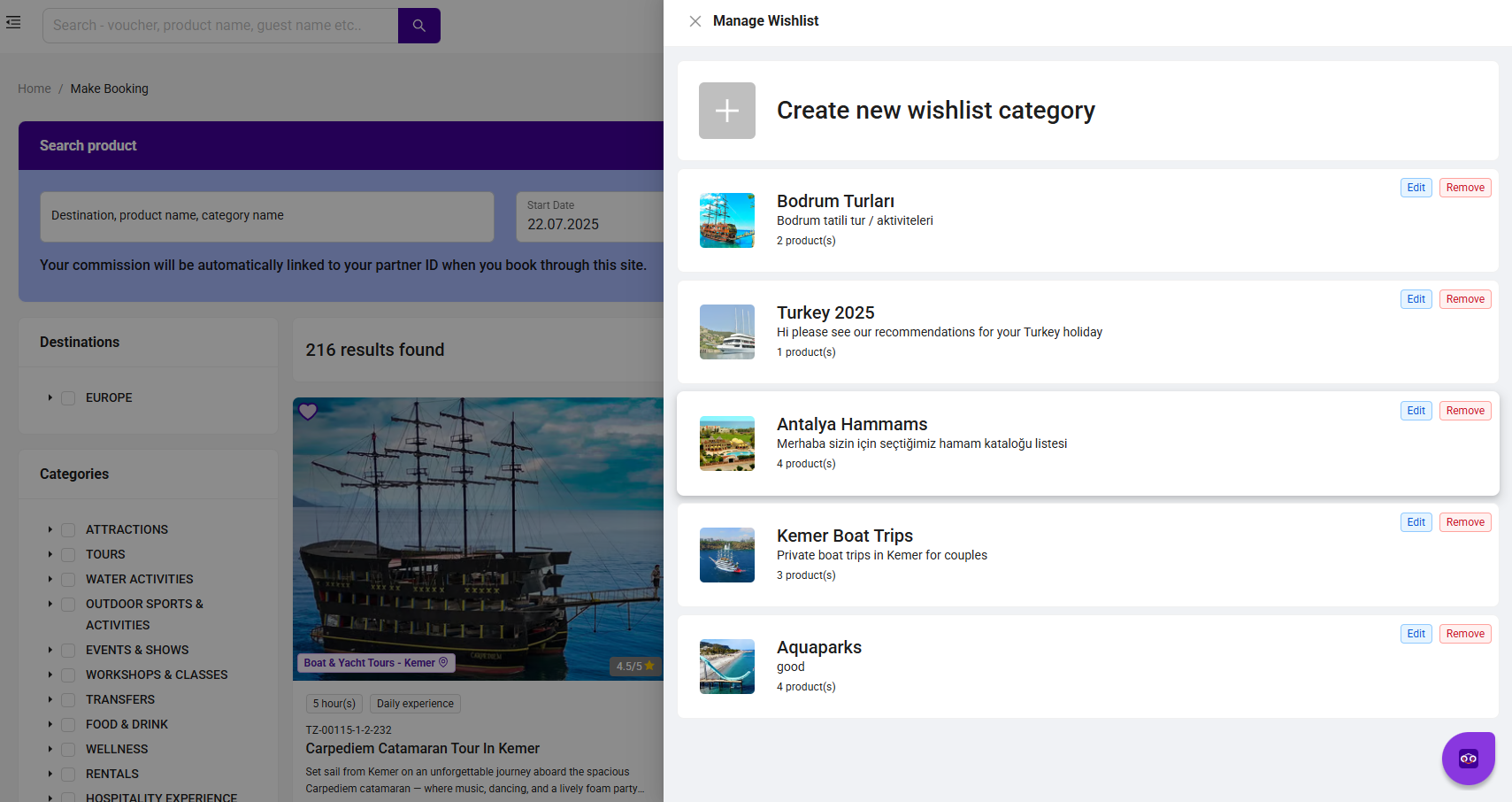
How to Select and Create a Wish List on the Tourzone Platform
A Wish List is your personalized list of favorite tours and services that you may want to book later. You can add products to your Wish List based on various criteria:
1. Destination / Location
You can select tours by location:
EUROPE and others (e.g. Turkey, Asia, etc.)
Example: Kemer, Antalya, Alanya, Cappadocia
2. Product Category
Build your Wish List based on tour type:
ATTRACTIONS
TOURS
WATER ACTIVITIES
OUTDOOR SPORTS & ACTIVITIES
TRANSFERS
WELLNESS / SPA
FOOD & DRINK
RENTALS
STAYCATION PACKAGES
Choose the categories that best match your clients' interests.
3. Included Services
Filter tours based on service features:
Private Transfer, Pick-up Service
All Inclusive, Audio Guide
Wheelchair Accessible, Pet/Kids Friendly
Daytime or Night Experience, Instructor Available
These help you match specific customer needs.
4. Traveler Type
You can filter by audience:
Solo Travelers
Couples
Families
Groups of Friends
5. Guide Languages
Select tours based on guide language:
English, Russian, Turkish, German, Polish
6. Tour Duration
Filter based on available time:
0–3 hours, 3–5 hours, 5–7 hours
Full Day (7+ hours), 1–3 days, 3+ days
7. Commission & Price
You’ll see:
Commission rate (e.g., 15%, 20%, 25%)
Starting price in selected currency
This helps you choose profitable options.
8. Tour Format or Experience
You can also filter for:
Daily or Multiday Experience
Customizable, Skip the Line, Rainy Day Available
Great for repeat customers or niche requests.
9. How to Add to Wish List
After applying filters:
Click the ? heart icon on the product card
The tour is added to your Wish List and accessible via the top menu
Example Use Case:
An agency working with families can create a Wish List using:
Categories: TOURS / WELLNESS / RENTALS
Traveler Type: Families
Duration: 5–7 hours or 1–3 days
Services: Pick-up, Kids Friendly, All Inclusive
Guide Language: Russian / English
Commission: 15% or more
Was this article helpful?
That’s Great!
Thank you for your feedback
Sorry! We couldn't be helpful
Thank you for your feedback
Feedback sent
We appreciate your effort and will try to fix the article