Booking List – Panel for Managing Reservations in Detail
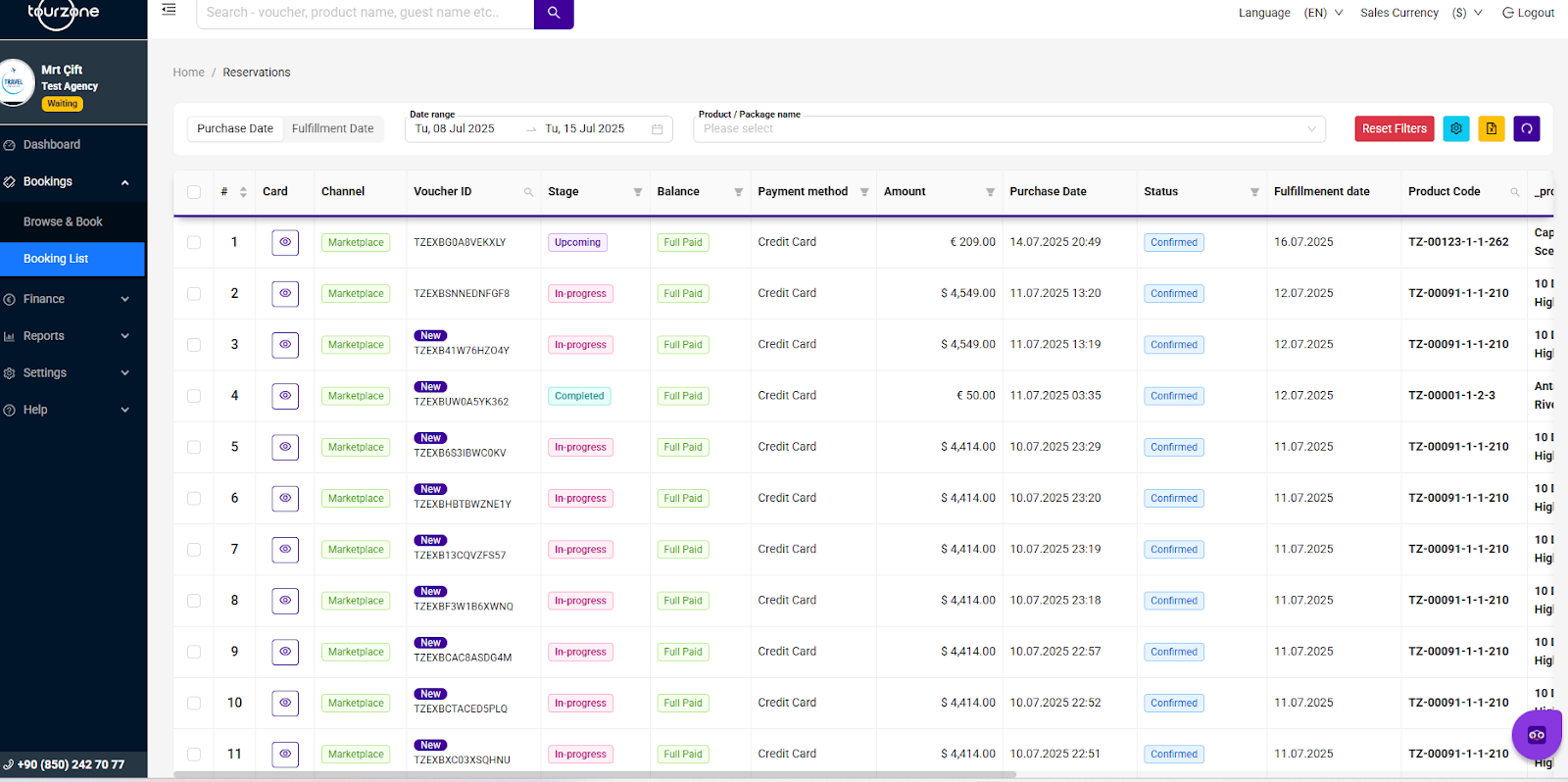
The Booking List panel is a centralized hub where your agency can track, manage, and analyze all bookings made through Tourzone in real time. All booking data is displayed in a structured table and can be filtered, sorted, searched, and exported.
The Booking List tab shows all reservations made through your agency account. You can filter bookings by purchase date, fulfillment date, or product name to quickly find specific entries. The table displays key details for each booking, such as status, payment method, amount, and fulfillment date.
Click the eye icon to view full booking details. The Reset Filters button lets you clear all active filters instantly.
You can also export any filtered or sorted list as an Excel file — useful for reporting or internal record-keeping.
Key Features:
Date Filters:
Purchase Date – When the tour was booked.
Fulfillment Date – When the tour will take place.
Product/Package Filter – Filter by specific product or package.
These filters help you quickly find the bookings you’re looking for.
Table Columns:
What you can do in Booking List:
View booking details by clicking the icon.
Monitor payment status (Full Paid, Partial).
Track fulfillment and purchase dates for reporting.
Export the list to Excel for accounting.
Search by product name, voucher ID, guest name.
Why it matters for agents:
Full visibility into all reservations in one place.
Transparent financial and commission tracking.
Real-time updates on booking statuses.
Easier management and reporting.
Was this article helpful?
That’s Great!
Thank you for your feedback
Sorry! We couldn't be helpful
Thank you for your feedback
Feedback sent
We appreciate your effort and will try to fix the article