Finance > Payouts – Track Your Earnings Transparently
FINANCE
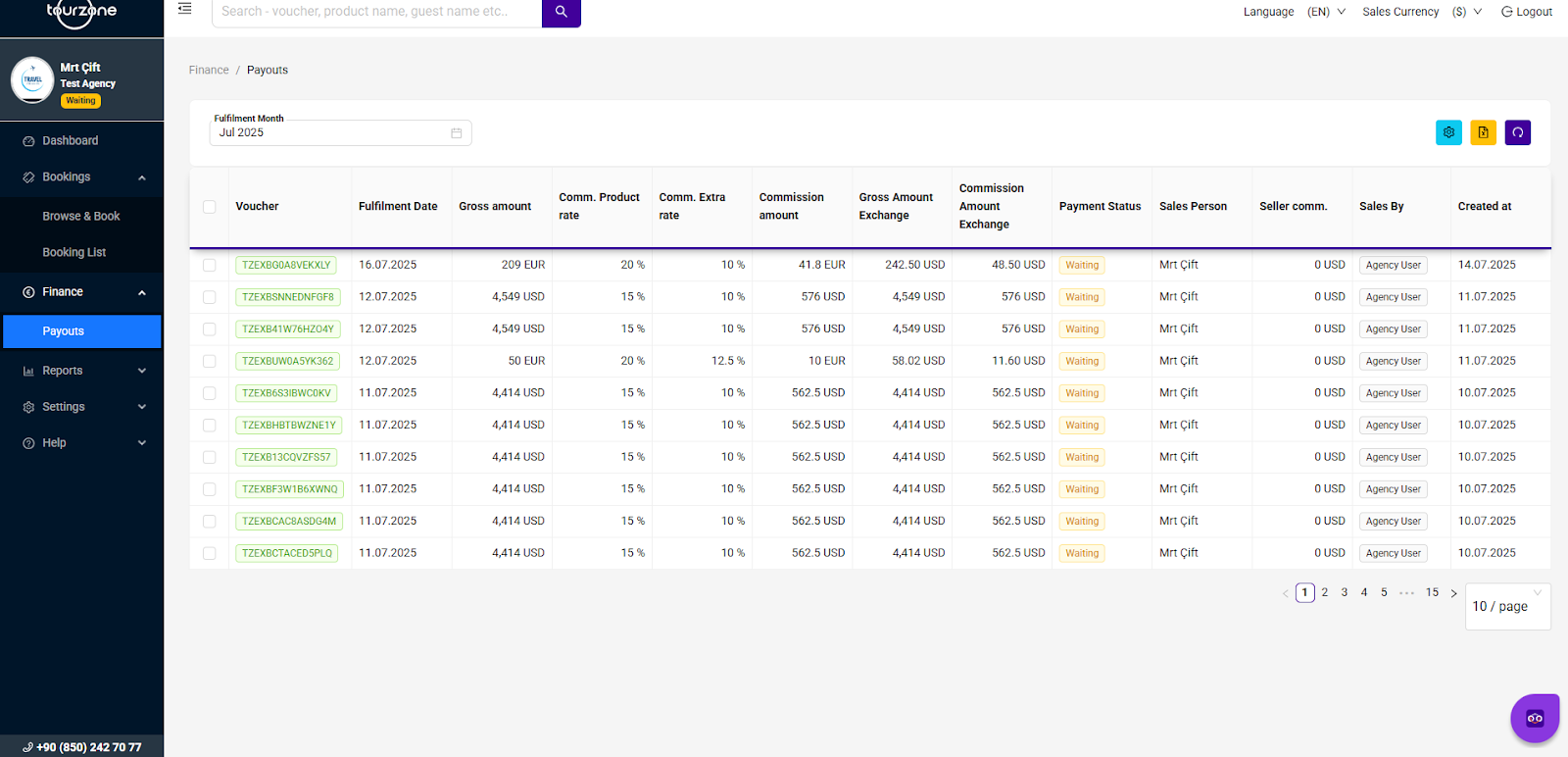
The Finance section is designed to display information about commissions and pending payouts for bookings. It shows the tour date, total booking amount, commission rate, and payout status. The Payment Status column indicates whether the payout has been made .You can also see the responsible sales person and the type of sale. If needed, you can filter the table by the fulfillment month, use the search bar, or export the data to Excel.
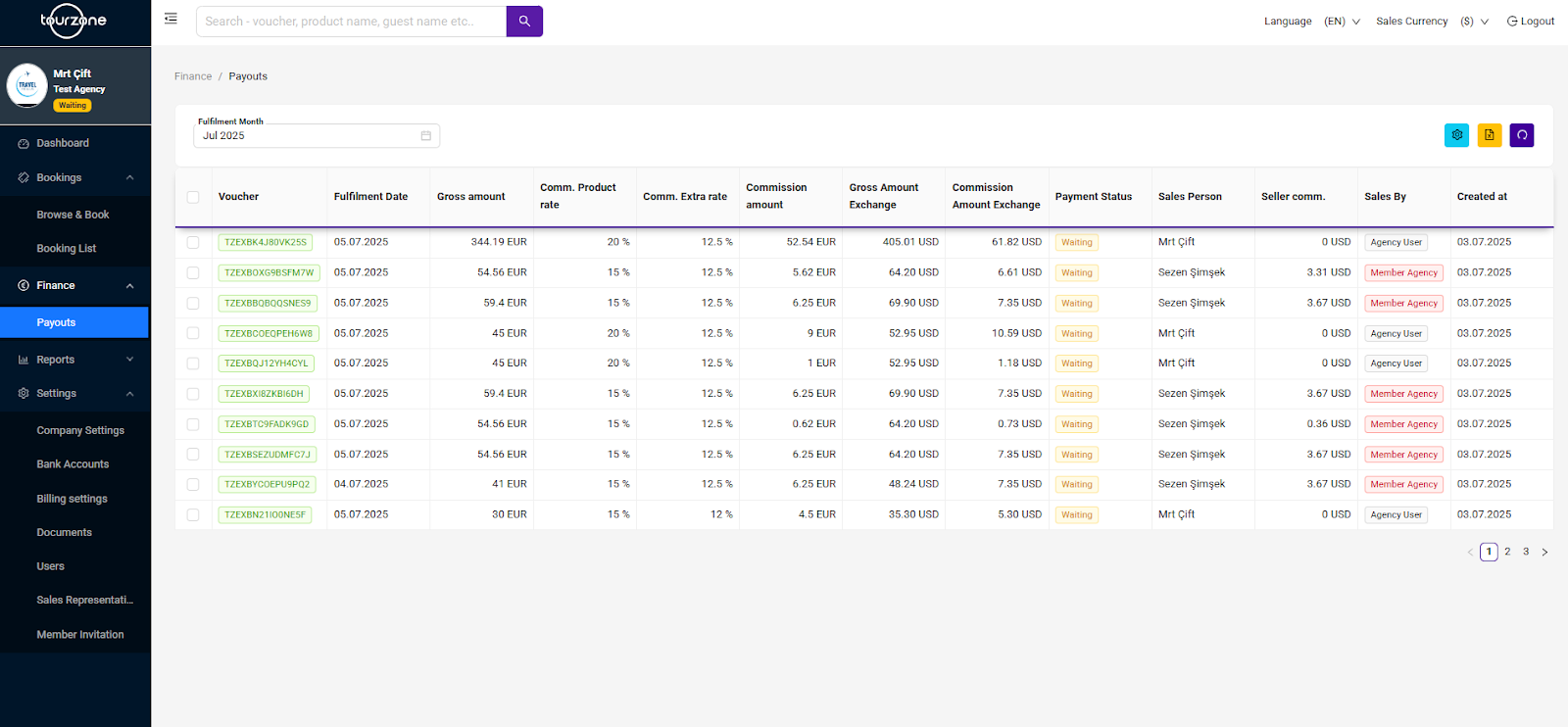
Key Features:
Fulfillment Month Filter:
Select the month for which you want to see earnings and payout info.
Payout Table Columns:
Why this matters:
See exactly how much you’ll receive.
Verify your expected commissions.
Ensure transparency with payouts.
Use for reporting or accounting purposes.
Was this article helpful?
That’s Great!
Thank you for your feedback
Sorry! We couldn't be helpful
Thank you for your feedback
Feedback sent
We appreciate your effort and will try to fix the article