Panel Path: Supplier Panel > Settings > Bank Accounts
The Bank Accounts section lets you securely add, view, and manage your company’s banking details used for payouts on the Tourzone platform.
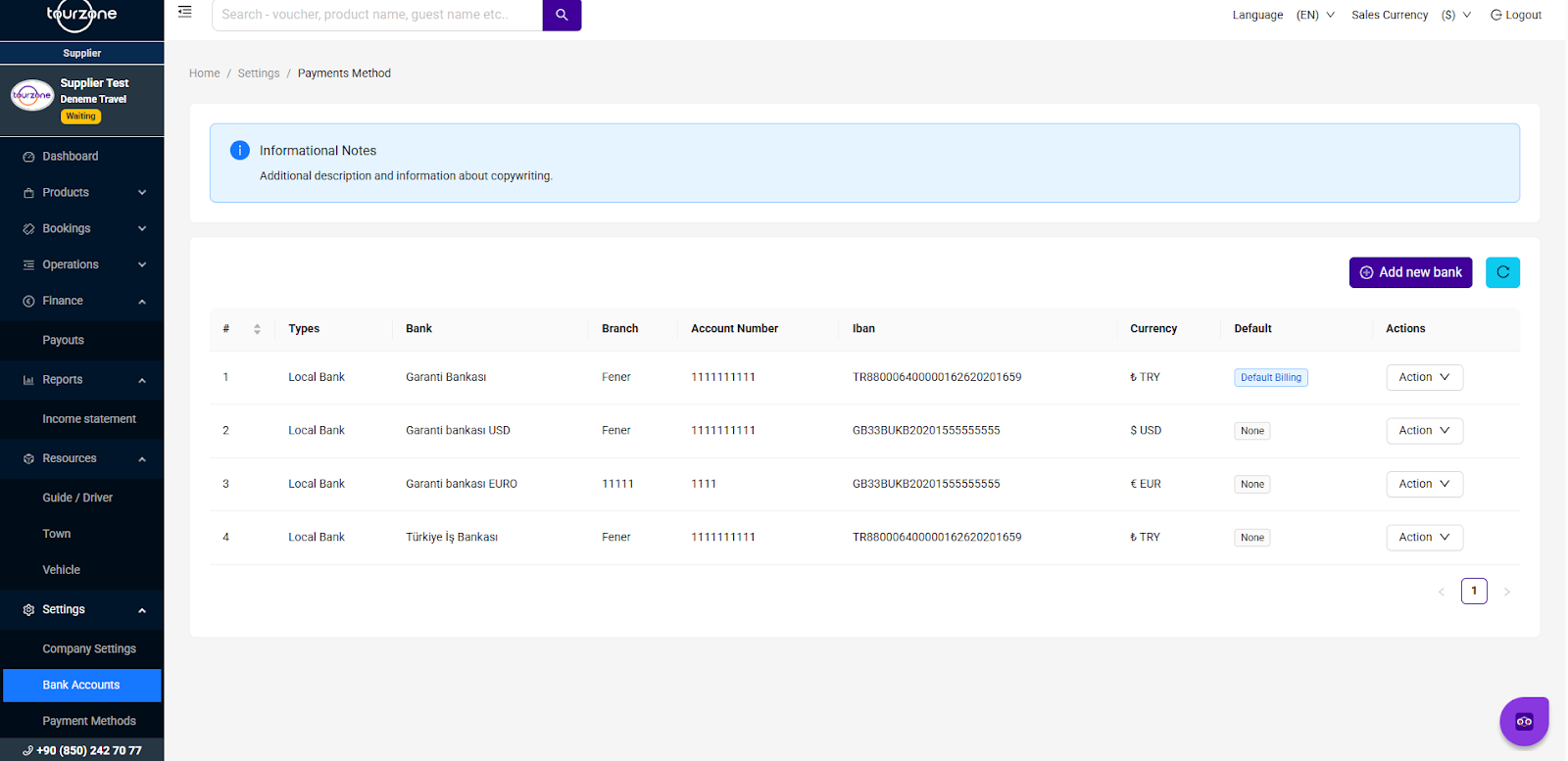
Adding a New Bank Account
Click the purple “Add new bank” button in the top-right corner.
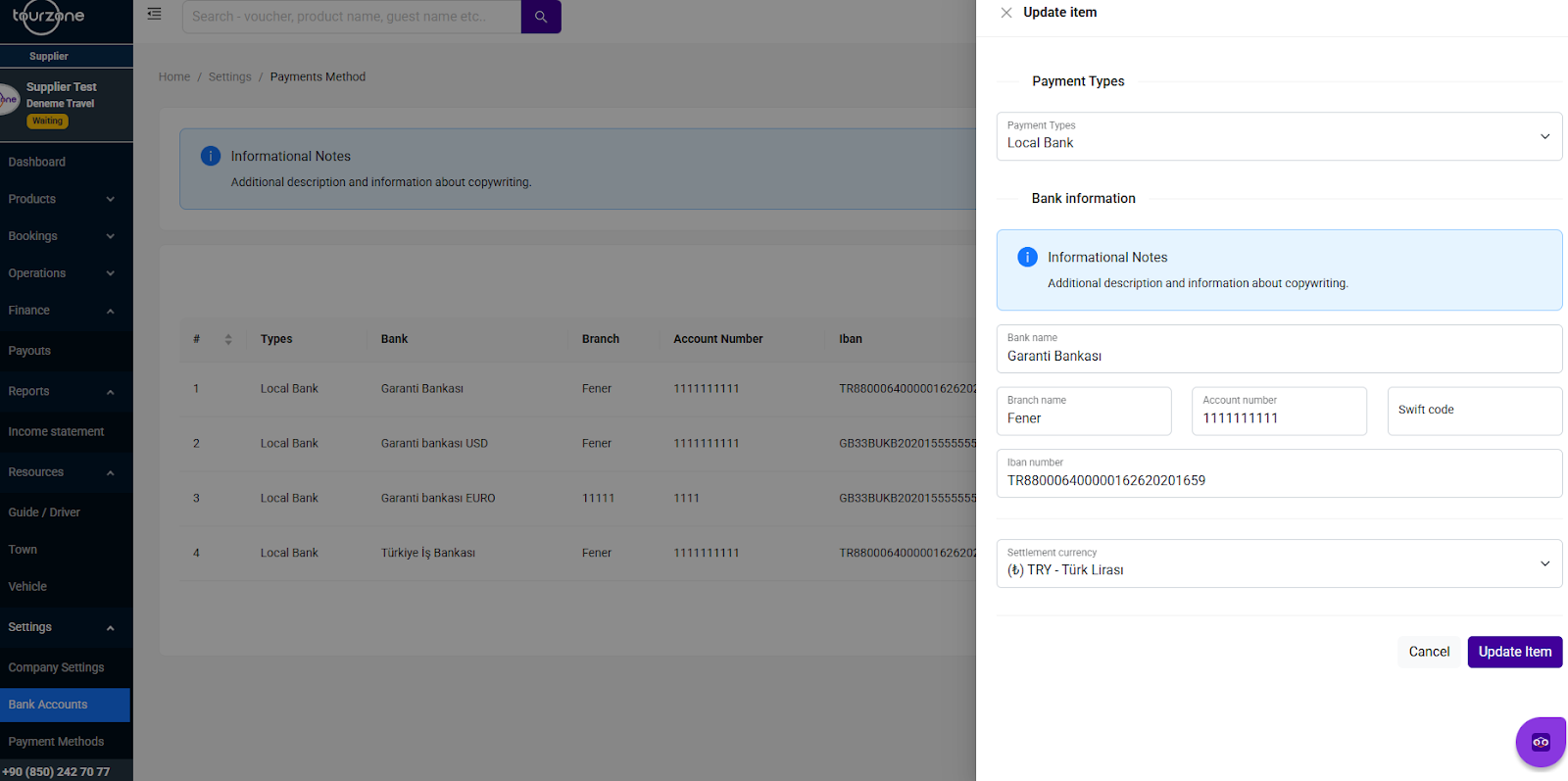
Select the Payment Type (e.g., Local Bank).
Fill in the required fields:
Bank Name
Branch Name
Account Number
SWIFT Code (optional but recommended)
IBAN Number
Settlement Currency (e.g., TRY, USD, EUR)
Click “Add Item” to save.
Minimum 1 bank account must be added to receive payouts.
You can add up to 3 accounts in different currencies.
You must set one account as Default Billing to receive standard payouts.
Editing or Deleting a Bank Account
To edit or delete a bank account, click the “Action” button next to the desired row.
Select “Update” to modify the details.
Select “Delete” to remove the account.
? Note: Deleting your default account will require you to set another one as default first.
Default Billing Account
Only one bank account can be selected as the default.
This is the account where all automatic payouts are transferred.
To change the default, click “Action” > “Set Default” on the desired account.
Verification Requirements
Bank account details must match your legal company information.
Some updates may require re-verification via the Documents section.
Was this article helpful?
That’s Great!
Thank you for your feedback
Sorry! We couldn't be helpful
Thank you for your feedback
Feedback sent
We appreciate your effort and will try to fix the article