How to Complete Your Company Profile
Location: Settings > Company Settings
Completing your company profile is the first essential step to activate your supplier account and ensure smooth payouts and proper legal registration. A completed profile allows Tourzone to verify your agency details and initiate cooperation.
Step-by-Step Instructions
1. Navigate to Company Settings
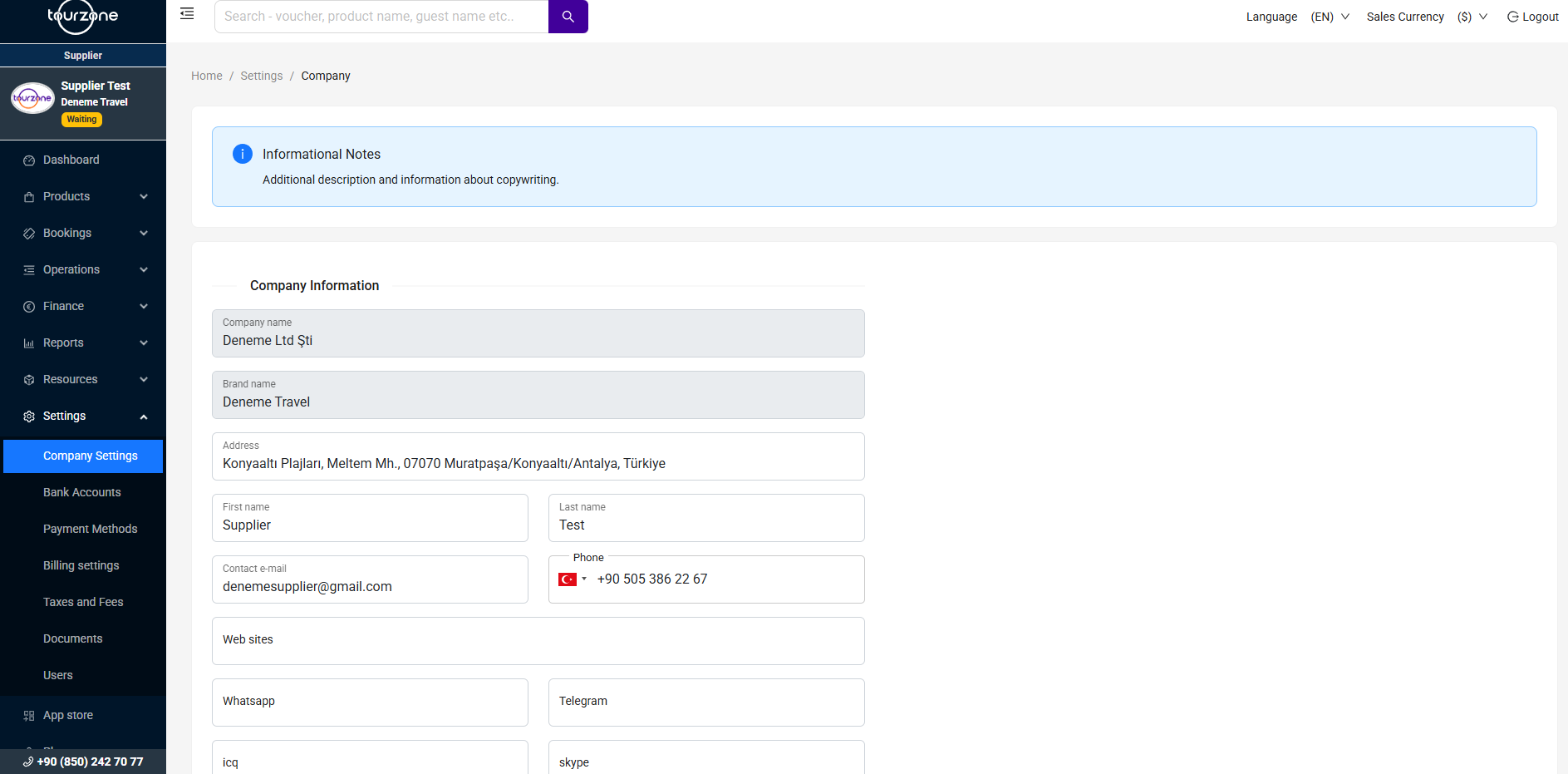
Go to the Settings section in the left-side menu and click on Company Settings. You will be directed to the Company Information form.
2. Fill in the Required Fields
Make sure all the following fields are completed accurately:
Company Name – Your official legal business name (e.g., Deneme Ltd Şti)
Brand Name – Your commercial name displayed to customers (e.g., Deneme Travel)
Address – Full business address (street, city, country)
Contact Person Name – First and Last Name of the representative
Email Address – Main contact email (e.g., denemesupplier@gmail.com)
Phone Number – Select country code and enter your contact number
Website, WhatsApp, Telegram, Skype, etc. – Optional, but helpful for easier communication
Note: The more fields you complete, the more professional and trustworthy your profile appears to resellers and Tourzone.
Upload Required Documents
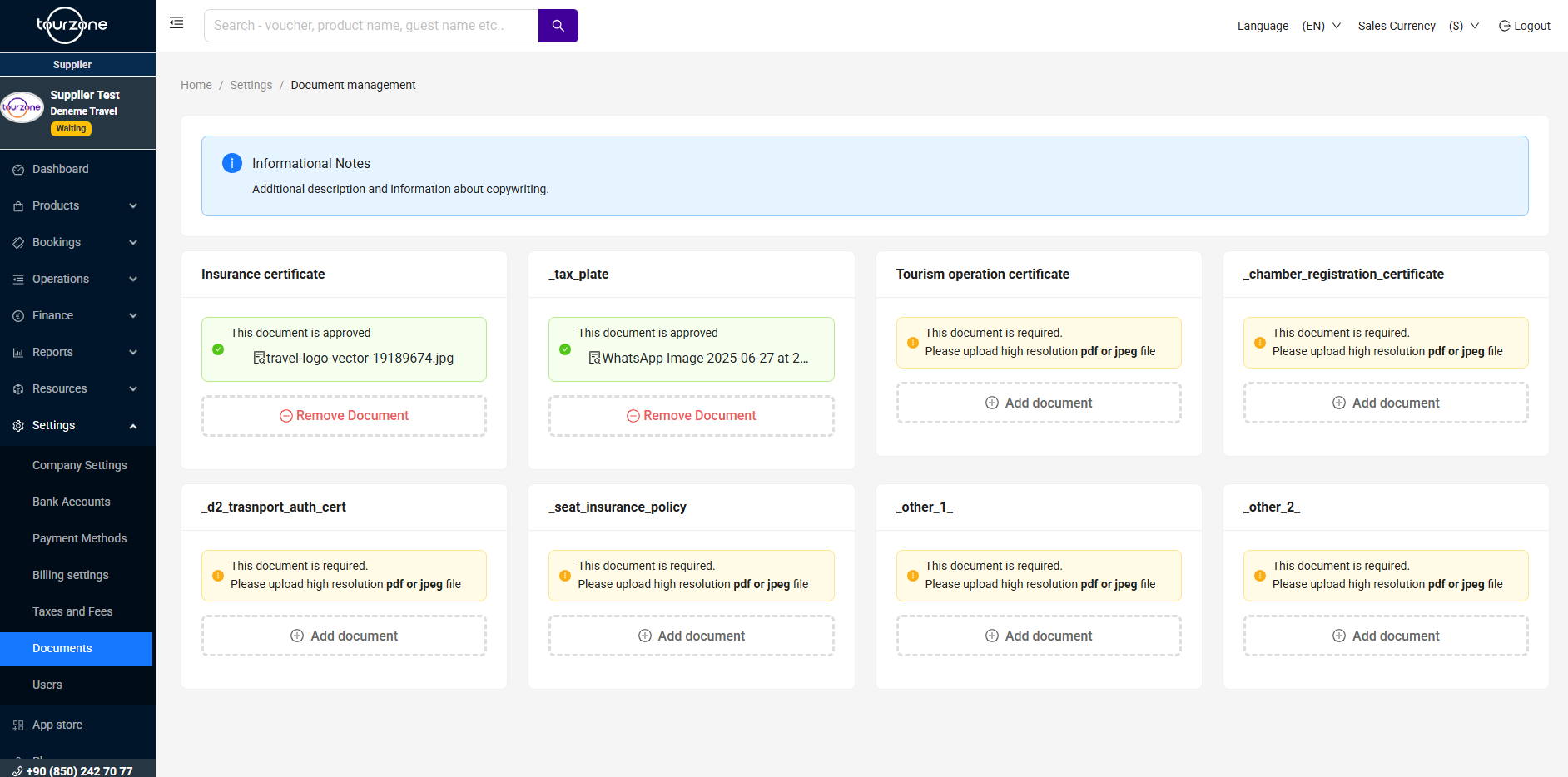
After completing the profile fields, proceed to the Documents tab located at Settings > Documents.
Upload high-resolution PDF or JPEG versions of the following:
Click the “Add document” button under each box to upload your file.
Pro Tips for Fast Approval:
Use clear, high-resolution scans only (no screenshots).
Make sure names and numbers match your company profile.
Update expired documents promptly.
Upload all mandatory documents in one session to avoid delays.
Need Help?
If you encounter any issues while completing your profile, please contact our support team via chat, email or whatsapp.
[supplier.support@tourzone.com]
+90 (850) 242 70 77 (Hotline)
Was this article helpful?
That’s Great!
Thank you for your feedback
Sorry! We couldn't be helpful
Thank you for your feedback
Feedback sent
We appreciate your effort and will try to fix the article